

S4 Manager settings and FAQ
Click the gear in the bottom-left corner to open Settings.
Accounts
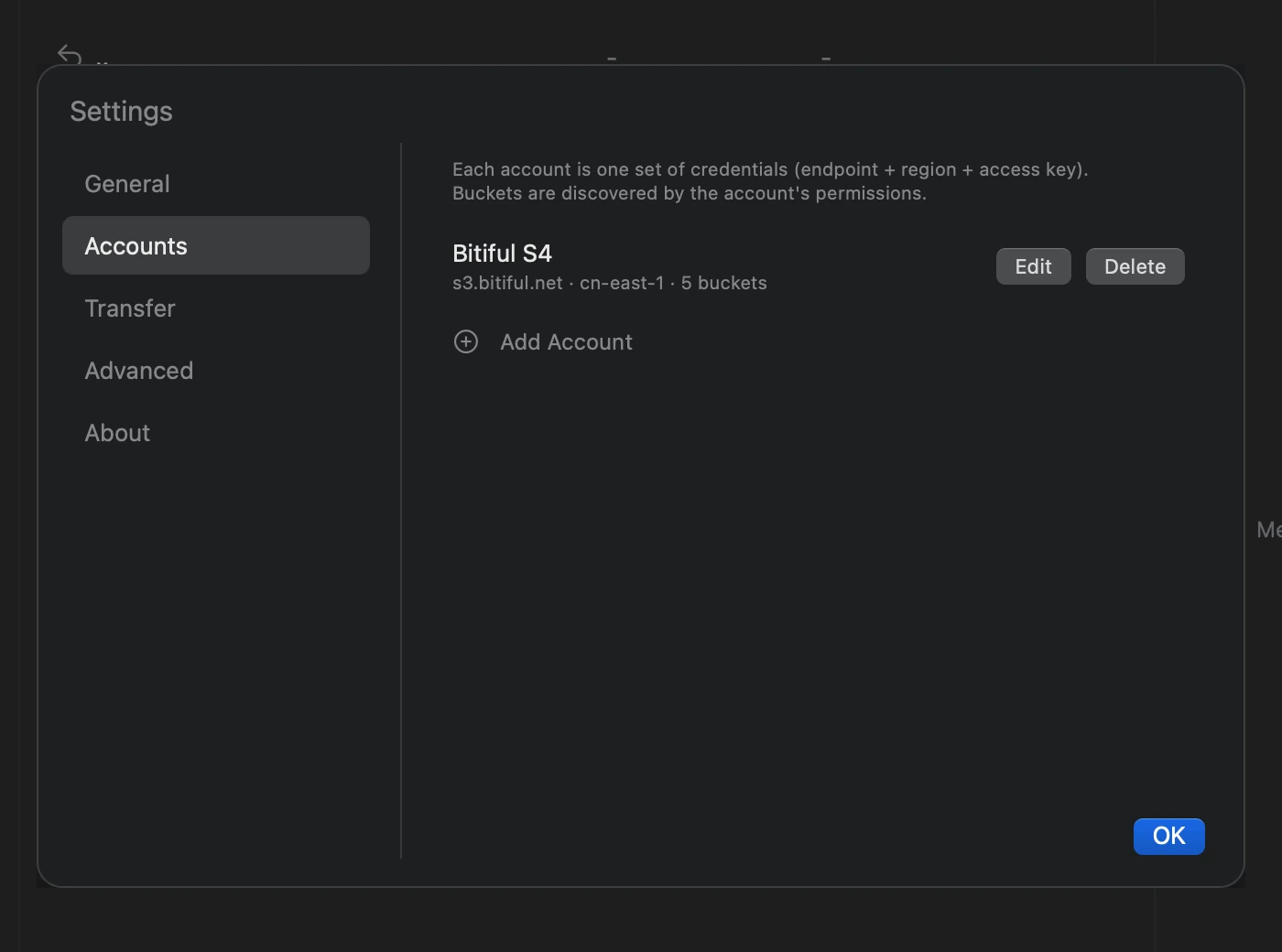
- Edit: change the connection name. The provider, region, and keys cannot be changed. To replace a key, add a new account and delete the old one.
- Delete: remove the account and its saved key from this computer. Files in the cloud are not affected.
Transfer
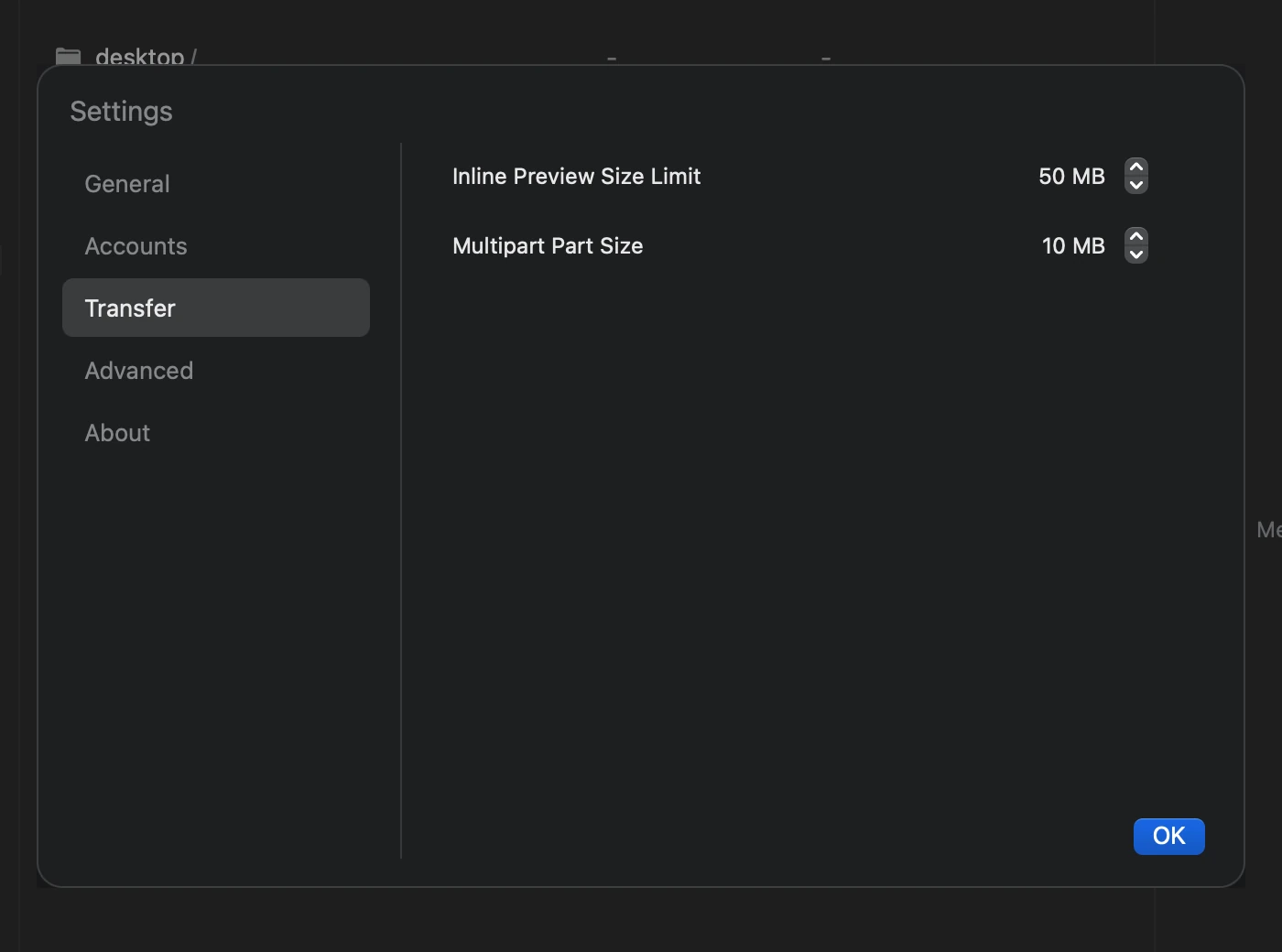
| Setting | Notes |
|---|---|
| Inline Preview Size Limit | Larger files are not previewed automatically. 50 MB by default, up to 2048 MB |
| Multipart Part Size | Size of each part in a multipart upload, and the threshold for using multipart. At least 10 MB, in steps of 5 MB. Increase it for large files on a fast network |
General and Advanced
- Language: Simplified Chinese or English.
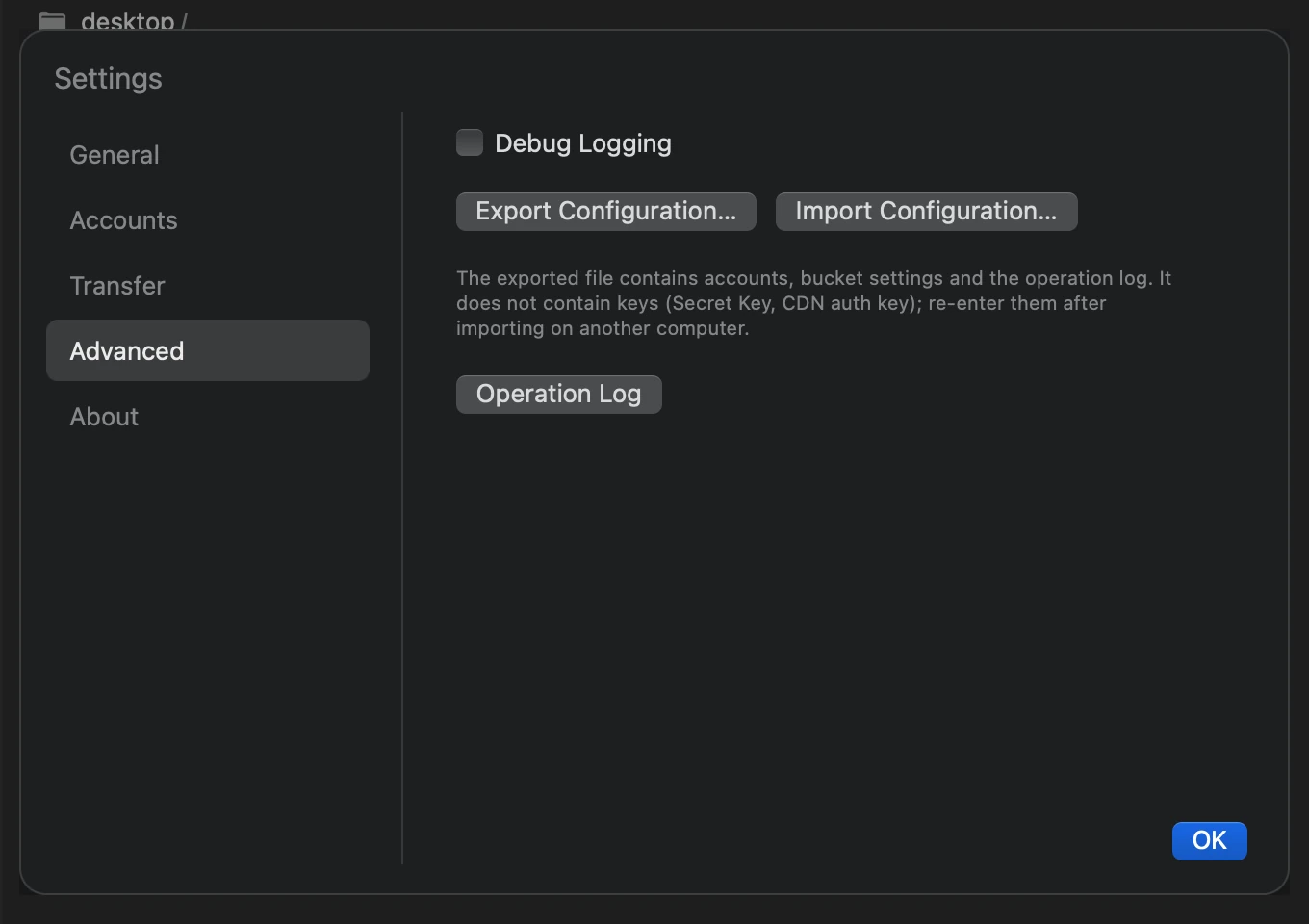
- Debug Logging: writes requests and responses to
bitiful.login your home directory for troubleshooting. The file is limited to 20 MB. Turn it off when you are done.
Export and import the configuration
Under Advanced, click Export Configuration… to save your accounts, bucket settings, favorites, and operation log to a JSON file, for backup or for moving to another computer. The file contains Access Key IDs, but no Secret Keys or CDN authentication keys.
On the other computer, click Import Configuration…, choose the file, and confirm. If any keys are missing after the import, the affected accounts and buckets are listed:
- Missing Secret Key: use Add Account with the same provider and region, and enter the same Access Key with its Secret Key. This does not create a second account.
- Missing CDN authentication key: enter it again in the bucket settings.
Importing replaces all accounts, bucket settings, favorites, and the operation log on this computer. Nothing is merged. For accounts that are not in the file, the keys saved on this computer are removed at the next launch on macOS. On Windows they stay in Credential Manager; delete them yourself when you no longer need them. The previous configuration is backed up as config.json.before-import.bak in the configuration directory. Only the latest backup is kept, and it does not contain keys.
A file without accounts, or one exported by a newer version, cannot be imported.
Operation log
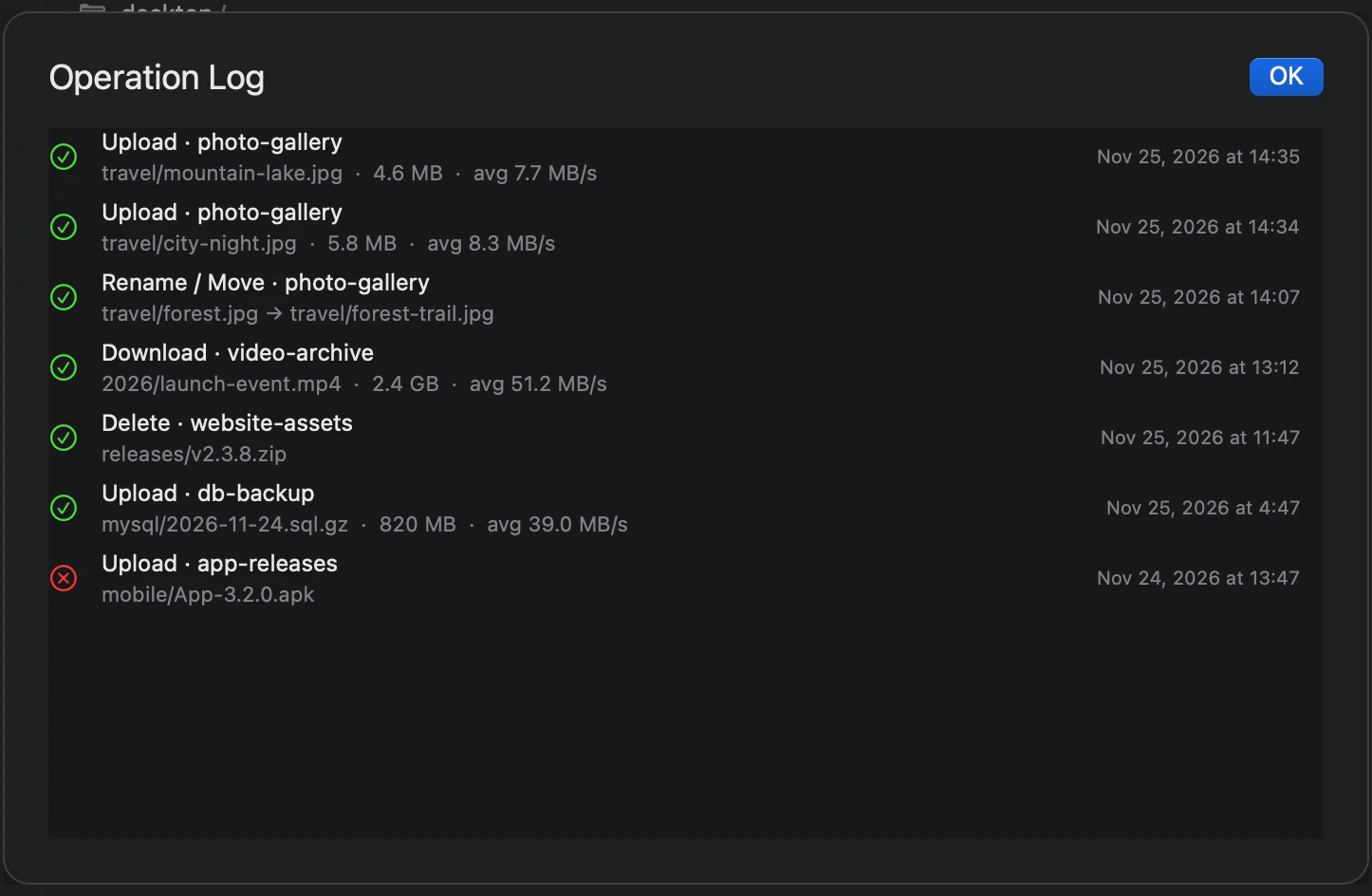
Under Advanced, click Operation Log to see the time and result of the latest 100 uploads, downloads, deletions, renames, and other operations. The log is kept on this computer and is never uploaded.
Shortcuts
| Action | macOS | Windows |
|---|---|---|
| Rename | Return | Enter |
| Open or close the preview panel | Space | Space |
| Paste and upload | ⌘V | Ctrl+V |
| Copy the selection | ⌘C, paste in Finder to download | Ctrl+C, copies the full path (key) |
| Delete | ⌘⌫ | Ctrl+Delete |
Platform differences
| Feature | macOS | Windows |
|---|---|---|
| Preview | Images, audio and video, PDF, text; Markdown and HTML can be rendered | Images and text; download audio, video, and PDF to view |
| Drag to the desktop to download | Supported | Not supported; use the download button |
| System notification when finished | Supported | Not supported |
| Where keys are stored | Keychain | Credential Manager |
| Configuration file | ~/Library/Application Support/S4Manager/config.json | %APPDATA%\S4Manager\config.json |
FAQ
Adding an account reports “No buckets found for these credentials.”
The sub-user has no permissions yet. Grant access in the console and add the account again. For accounts already added, newly granted buckets appear within 60 seconds.
The bucket is listed, but opening it reports AccessDenied
The sub-user has no list permission on the bucket, or is only granted a directory. With directory permissions only, the bucket root cannot be listed. Grant the list permission.
Uploads fail with 403 AccessDenied
The sub-user has no write permission. Add it in Sub-user permissions.
The bucket size differs from the actual size
The size is calculated on the server and refreshed with the bucket list. Recent uploads and deletions are counted a little later.
“A folder with this name already exists at the destination”
A file and a folder cannot share a name in S4. Use another name. See S3 API compatibility.
How do I move to another computer?
Export the configuration on the old computer, import it on the new one, and enter the Secret Keys and CDN authentication keys again when prompted. Files in the cloud are not affected.