

Share files with S4 Manager
Select one or more files and click the share button in the toolbar, or click Copy Share Link… on the right. With several files selected, each file gets its own line, and Copy All copies them together. Folders cannot be shared.
Link types
| Type | Notes | Suitable for |
|---|---|---|
| Anonymous (direct) | The S4 address, with no expiry | Files set to public read |
| Presigned | Signed with the current key, expires, up to 7 days | Temporary sharing of private files |
| CDN (anonymous) | Your CDN domain, with no expiry | Public files |
| CDN (token auth) | CDN domain with an advanced authentication signature, expires, up to 365 days | Files that need CDN acceleration and an expiry |
Once a CDN domain is configured, a CDN link is selected by default. If an authentication key is also set, the CDN token link is the default.
Presigned links
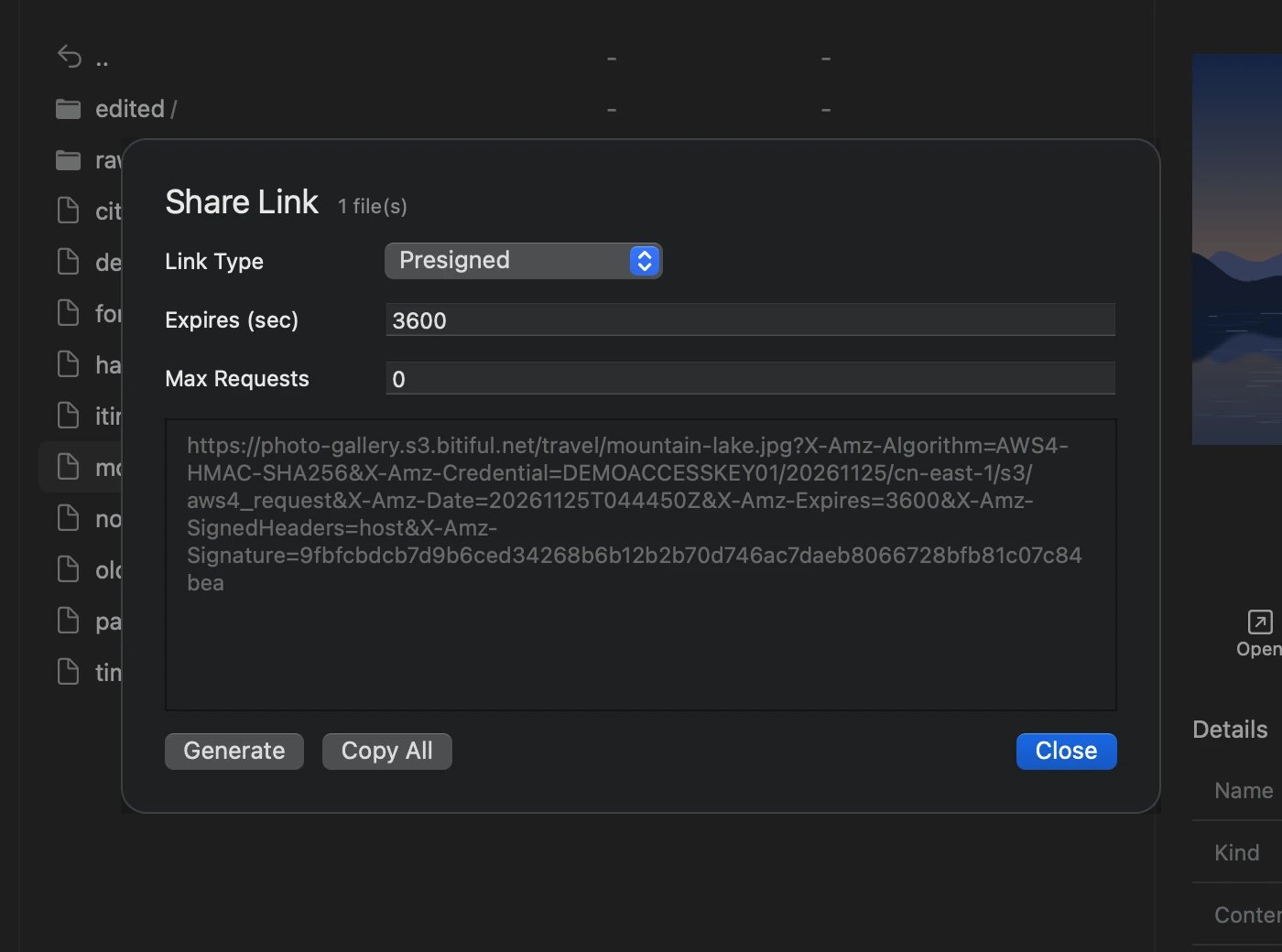
| Field | Notes |
|---|---|
| Expires (sec) | Up to 604800 (7 days). 0 means the maximum |
| Max Requests | How many times the link can be used, from 1 to 100. 0 means unlimited. See Request limits for presigned URLs |
Click Generate after making changes. Deleting or disabling the AccessKey invalidates the links immediately.
CDN token links
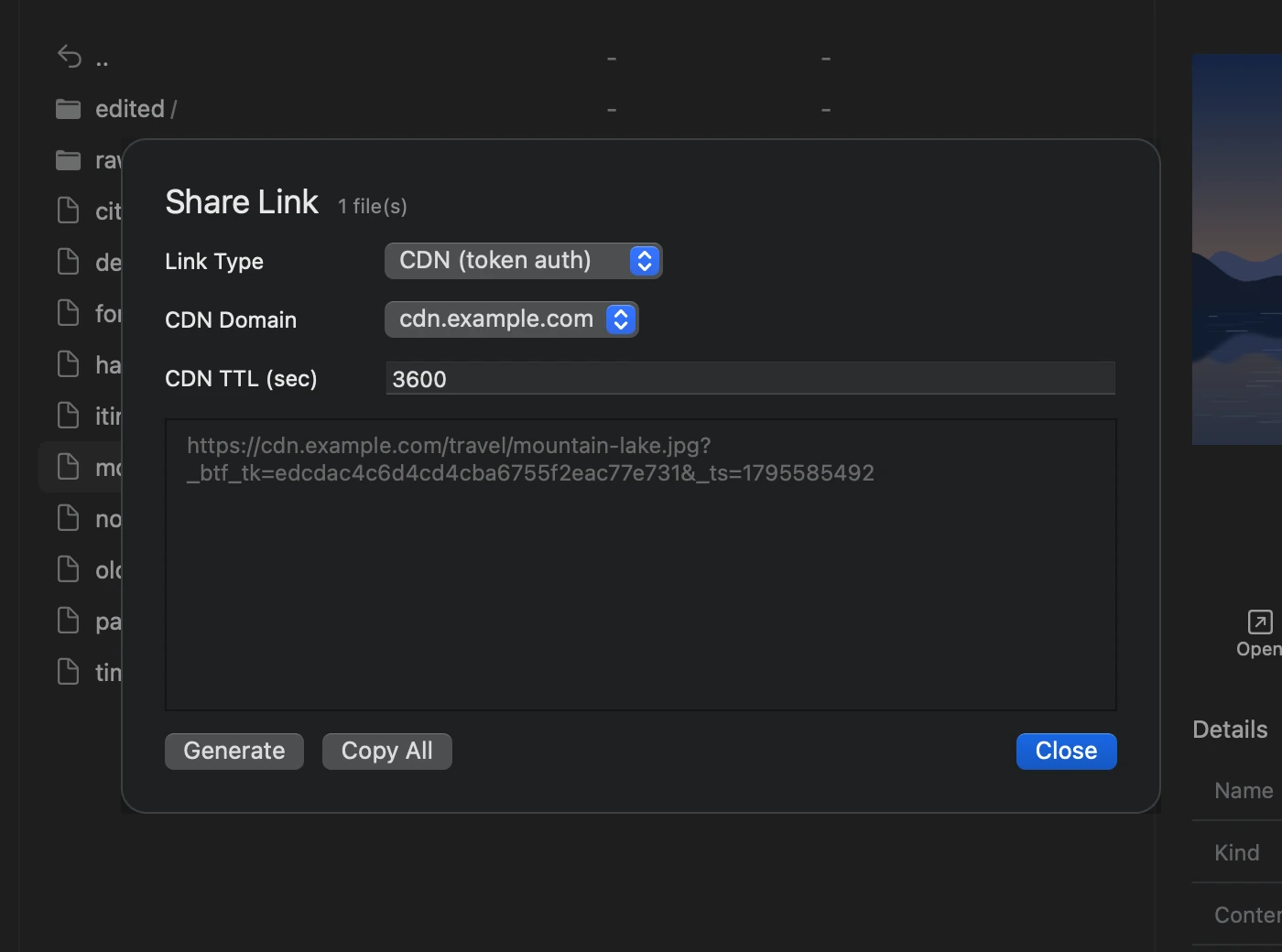
CDN TTL (sec) is up to 31536000 (365 days), and 0 means the maximum. Before using it, turn on advanced authentication for the CDN domain in the console and enter the same key in the bucket settings below.
Configure CDN domains
Click the gear next to a bucket to open Bucket Settings:
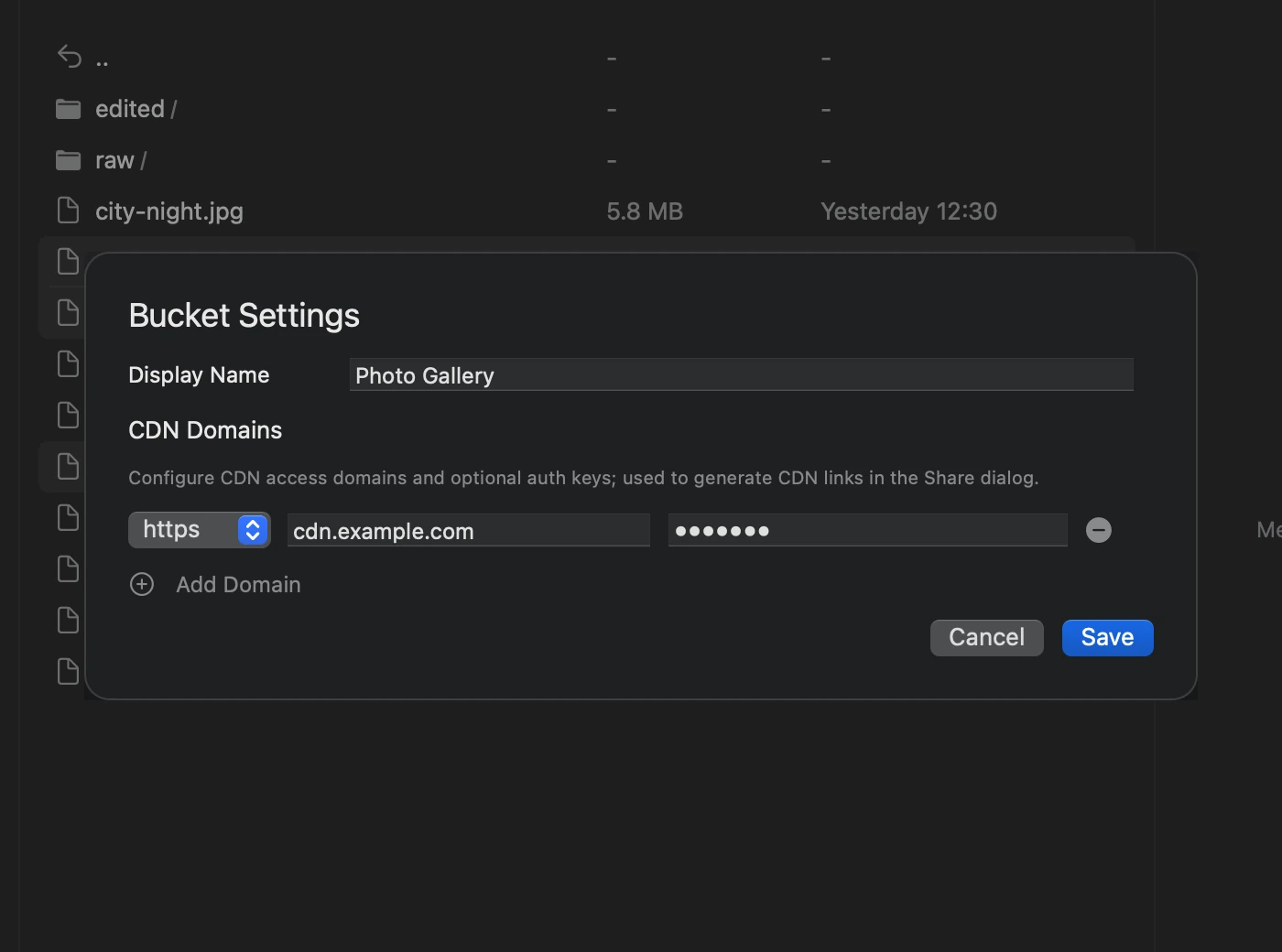
| Field | Notes |
|---|---|
| Display Name | Only affects the name shown in the client, not the bucket name |
| CDN Domains | CDN domains that already point to this bucket. You can add several |
| Auth Key (optional) | The advanced authentication key of that domain in the console |
This only tells the client which domain to use in links. It does not change your CDN configuration. Keys are kept in the local keychain or Credential Manager.